.png?width=765&height=430&name=112%20(1).png)
.png?width=500&height=500&name=134%20(1).png)
Answer engine optimization trends B2B brands should adopt
The HubSpot answer engine visibility features that matter are mostly structural. The modular editor lets you build a page as discrete blocks, which is exactly the shape an AI model wants when it chunks a page into quotable answers. The custom HTML module and the site header HTML give you two clean places to drop structured data without touching a developer's template every time. The topic cluster tool maps your pillar pages to their supporting content, which is the relationship answer engines read as topical authority. The AI Search Grader, covered further down, tells you which questions the models already answer with someone else's content.
What HubSpot won't do for you is write extractable answers or decide which questions are worth owning. The platform makes good AEO practice easy to execute and maintain at scale, but the strategy still comes from you. A HubSpot site with sloppy content structure and no schema performs no better in AI answers than a sloppy site on any other CMS.
VIDEO TRAINING
Get the Growth Playbook.
Learn to plan, budget, and accelerate growth with our exclusive video series. You’ll discover:
 The 5 phases of profitable growth
- 12 core assets all high-growth companies have
- Difference between mediocre marketing and meteoric campaigns
.png?width=798&height=842&name=Playbook%20(1).png)
Thanks for submitting the form!
How do you structure HubSpot pages and modules for AI extraction?
Build each page as a stack of self-contained modules where every section opens with a direct answer to a clear question, because answer engines chunk pages into blocks and quote the block that most cleanly answers the prompt. On HubSpot's drag-and-drop editor, that means one idea per module, a question-style heading at the top of each, and an opening sentence that stands on its own without the paragraph above it.
The modular block approach we use for design works just as well for AEO content. When your page is built from reusable blocks, each one becomes a discrete unit an engine can lift, and a clean module with a question heading and a tight answer paragraph hands the model the boundaries it would otherwise have to guess at inside one long rich-text field.
Here's the page structure we build on HubSpot CMS for content meant to be cited:
- Open with a direct answer module. The first block on the page answers the page's core question in one or two sentences, before any setup. This is the snippet most likely to get pulled.
- Use question-based headings on every section module. Write each H2 as a real query someone types into an assistant, then answer it in the opening line of that module.
- Keep one idea per module. A module that covers a single question is far easier to extract than a module juggling three. This also makes reuse across pages clean.
- Add a dedicated FAQ module near the foot of the page. HubSpot's accordion and FAQ modules render genuine question-and-answer pairs that pair naturally with FAQPage schema.
- Use HubSpot's heading hierarchy correctly. One H1 per page, H2s for sections, H3s for sub-points, so the document outline the engine reads matches the structure you intend.
We've found that pages built this way tend to get parsed and quoted more reliably than identical content poured into a single text block, because the structure removes the ambiguity the model would otherwise have to resolve on its own.
How do you add schema markup on HubSpot CMS?
You add schema on HubSpot CMS in one of two places: drop JSON-LD into a custom HTML module on a specific page, or place it in the site or template header HTML when you want it applied more broadly. JSON-LD is the format Google and the major AI systems prefer because it lives in a single script block, which keeps it out of your visible markup and makes it far easier to maintain on a HubSpot template.
For a one-off page, the fastest route is a custom HTML module dropped into the layout, holding a <script type="application/ld+json"> block. For schema that should apply across a template, such as Article markup on every blog post, HubSpot lets you add code to the template header HTML or use HubL variables so the values populate from the page's own fields. Tying schema values to real page fields keeps the markup accurate as content changes, since hand-typed values drift out of date the moment someone edits the copy.
A working FAQPage block for a HubSpot page looks like this:
<script type="application/ld+json">
{
"@context": "https://schema.org",
"@type": "FAQPage",
"mainEntity": [{
"@type": "Question",
"name": "How much does a HubSpot website cost?",
"acceptedAnswer": {
"@type": "Answer",
"text": "A full HubSpot website build typically runs $30K to $70K+ over 9 to 13 weeks, depending on scope. Many teams start with a 4-week design blueprint at $6K to $12K to validate direction first."
}
}]
}
</script>
The one rule that overrides the rest: the answer text in your schema has to match what a visitor actually reads on the page. Marking up content that isn't visible reads as gaming the system and gets pages penalized rather than cited. Hand-placing JSON-LD on every page works until you're maintaining a few hundred of them, which is why we built our approach into the AEO schema setup module we run on client sites, so the structured data generates and updates alongside the pages and never needs a manual edit.
How should you structure HubSpot topics and pillar pages for AEO?
Organize content into pillar pages with supporting cluster content, because answer engines read that hub-and-spoke structure as a signal that your site covers a topic with genuine depth, where a single shallow page would not. HubSpot's topic tool and pillar page templates are built for exactly this, linking a central pillar to the cluster articles that answer the narrower questions underneath it.
The model that works on HubSpot CMS is a single pillar page covering a broad topic in depth, surrounded by cluster pages that each answer one specific long-tail question and link back to the pillar. If your pillar covers HubSpot website redesign, your clusters answer the follow-up questions a buyer actually asks an assistant: what a redesign costs, how long it takes, how it differs from a refresh. Each cluster is a clean target for its own query, and the internal links between them tell the engine these pages belong to one authoritative cluster.
This matters more for AI than it did for classic search. Answer engines assess topical authority partly through how thoroughly a site covers a subject, so going deep on a narrow set of topics tends to earn more citations than spreading thin coverage across unrelated ones. We build HubSpot content hubs this way across our HubSpot projects because it serves both audiences at once: the topic structure helps Google understand the site, and the same depth gives answer engines more reasons to treat you as the source worth quoting on that subject. There's more on building content systems like this in our guide to creating HubSpot websites.
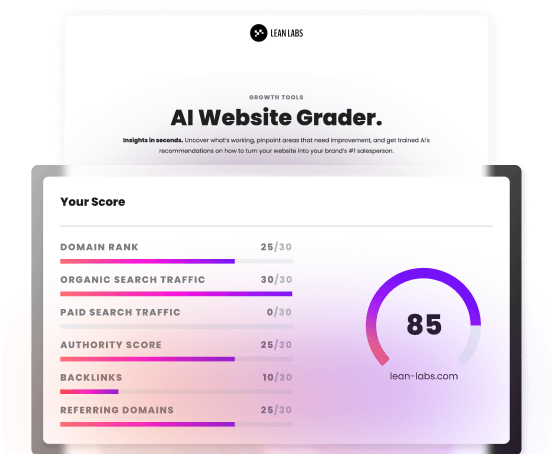
How do you use HubSpot's AI Search Grader?
HubSpot's AI Search Grader is a free tool that checks how AI models describe your brand when someone asks a question in your category, then returns a read on your visibility along with the gaps worth fixing. You give it your brand and category details, and it queries the answer engines on your behalf to see whether you get mentioned, how you're described, and which competitors show up alongside or instead of you.
We reach for a grader early on a new HubSpot account because it converts a vague worry into a concrete baseline. The HubSpot AI grader gives you a starting picture of where the models stand on your brand today, and the part worth studying is the gap list underneath the headline read: the questions where the engines answer with a competitor's content instead of yours. That list is effectively a ranked content roadmap.
The workflow we run with it is consistent:
- Run the grader to set a baseline. Capture where you stand before you change anything, so later runs have something to compare against.
- Study the gap list underneath the score. Sort the missing prompts by how close each sits to a buying decision, since being absent from a high-intent question costs more than being absent from a top-of-funnel one.
- Build answer-first modules for the top gaps. Write the extractable HubSpot content for the prompts where the models don't mention you at all, because you can't get quoted on a question you've never genuinely answered.
- Clean up the schema on those pages. Confirm FAQPage and Article markup is present and accurate so engines can parse and attribute what you've published.
- Re-run on a cadence. Treat the first run as the baseline and every run after as evidence the work is landing, while keeping in mind that AI answers vary between runs, so the pattern across prompts matters more than any single answer.
One caution we apply to every grader, including HubSpot's: it samples a moment in time and the models are probabilistic, so read the pattern across the full prompt set and don't fixate on one wobbly answer. The score sets your priority order, and the content and schema work that follows is what actually closes the gaps.
What does the full AEO workflow look like on a HubSpot site?
The end-to-end workflow runs baseline, structure, schema, then measure again. We start by grading the site to find the gaps, restructure pages into modular answer-first blocks, add FAQPage and Article schema through HubSpot's HTML and module system, organize the content into pillar and cluster topics, then re-grade to confirm the citation share is climbing.
Here's how the pieces fit together on a typical HubSpot engagement:
|
Step |
What you do on HubSpot CMS |
Why it moves AI visibility |
|
Baseline |
Run HubSpot's AI Search Grader and log the gap list |
Turns "are we showing up?" into a ranked list of prompts to win |
|
Structure |
Rebuild pages as modular blocks with question headings and answer-first openers |
Gives engines clean, quotable chunks instead of a wall of text |
|
Schema |
Add FAQPage and Article JSON-LD via custom HTML modules or template header |
Labels your answers so models can extract and attribute them |
|
Topics |
Link pillar pages to cluster content using HubSpot's topic tool |
Signals topical depth, which answer engines weigh for authority |
|
Measure |
Re-run the grader on a regular cadence and compare to baseline |
Confirms the work is landing rather than assuming it is |
The reason this sequence works is that each step depends on the one before it. Grading first means you spend your hours on the questions that actually matter, structuring before schema means the markup wraps content that's already clean, and re-grading closes the loop so you know whether the citation share moved. If you'd rather hand the whole loop to a team that owns the stack, our work on getting recommended by AI covers the auditing, content, and schema for HubSpot sites end to end. For teams running it in-house, the same workflow holds whichever way you build.
Schema markup recommendations
For an AEO-focused HubSpot page like this one, we recommend implementing:
- FAQPage schema around the question-based H2 sections, with each heading as a Question and its opening answer as the acceptedAnswer, kept matched to the visible text on the page
- Article schema with author, datePublished, and dateModified, so the content carries clear authorship and recency signals, which matter more for fast-moving topics like AI search
- HowTo schema where a section is a true ordered process, such as the AI Search Grader workflow, rather than forcing it onto every list
- Organization schema on your canonical brand page, defined once with logo, sameAs social profiles, and contact details
- Product schema on genuine HubSpot service or pricing pages, using an offer with a price or price range so engines can surface concrete numbers
On HubSpot specifically, place page-level JSON-LD in a custom HTML module and template-wide markup in the header HTML, tying values to page fields where you can so the schema stays accurate as content changes. Validate every block in Google's Rich Results Test before publishing, confirm the visible content matches the markup, and re-check after any template change so empty fields don't quietly cost you citations.
.png?width=1391&height=668&name=Growth%20Mapping%20Session%20(1).png)
.png?width=500&height=500&name=132%20(1).png)
.png?width=500&height=500&name=131%20(1).png)